Add Deceased Loved One to Photo with AI, Free
You can make your first photo here for free. Create an account, confirm your email address, and one free credit is added: that is one complete photo of your loved one added to your picture, with no watermark and nothing to install.
First photo free with an account · then 5 photos for $4.99, no subscription
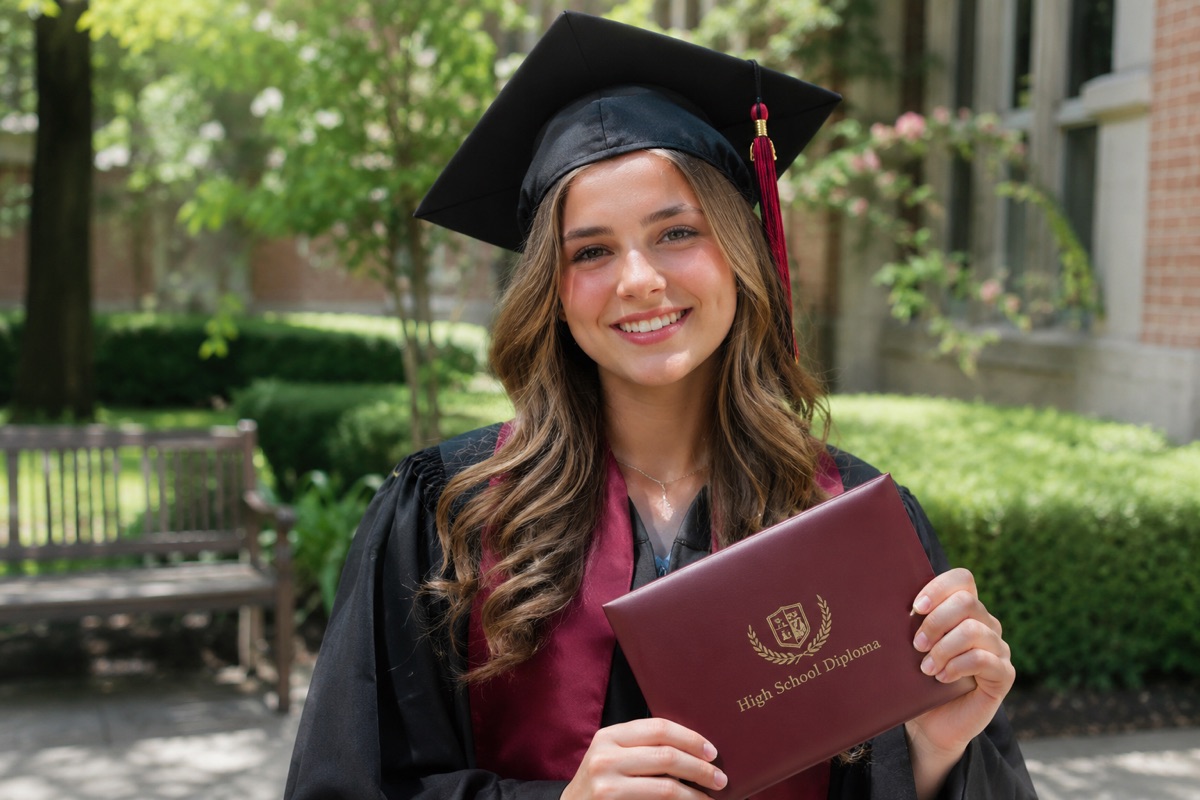
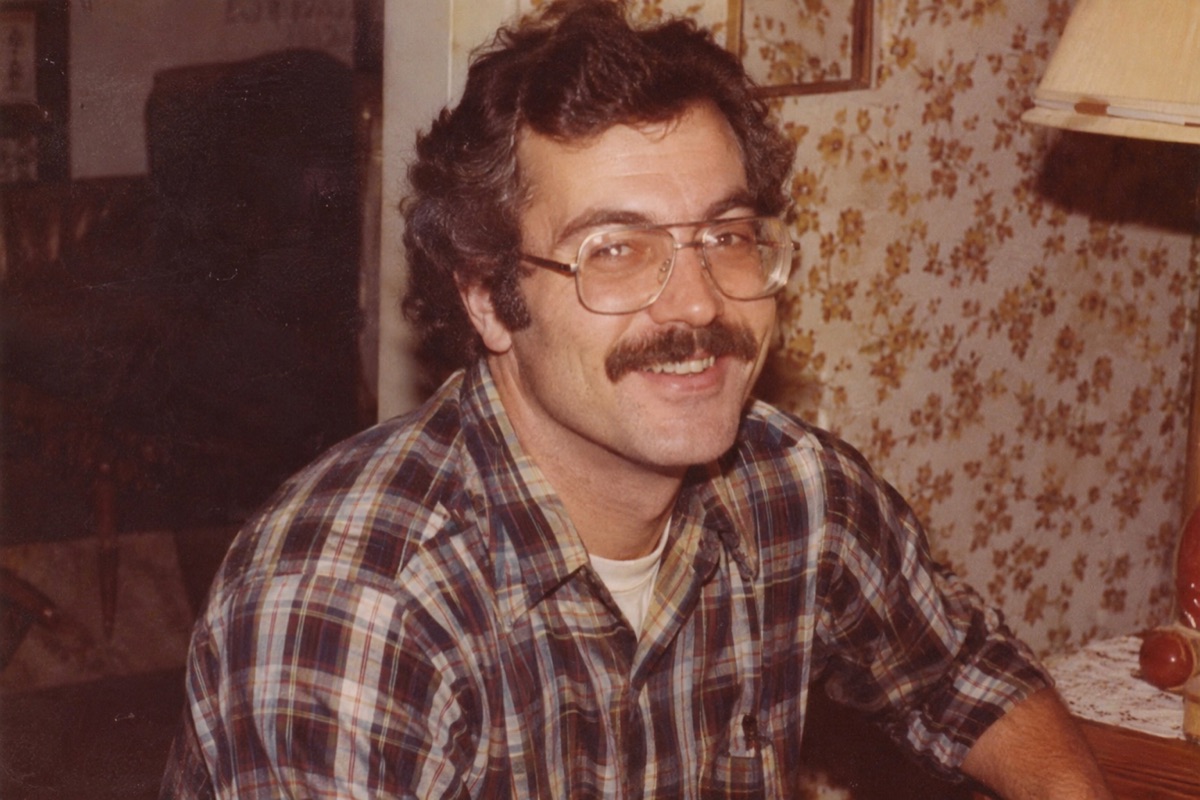
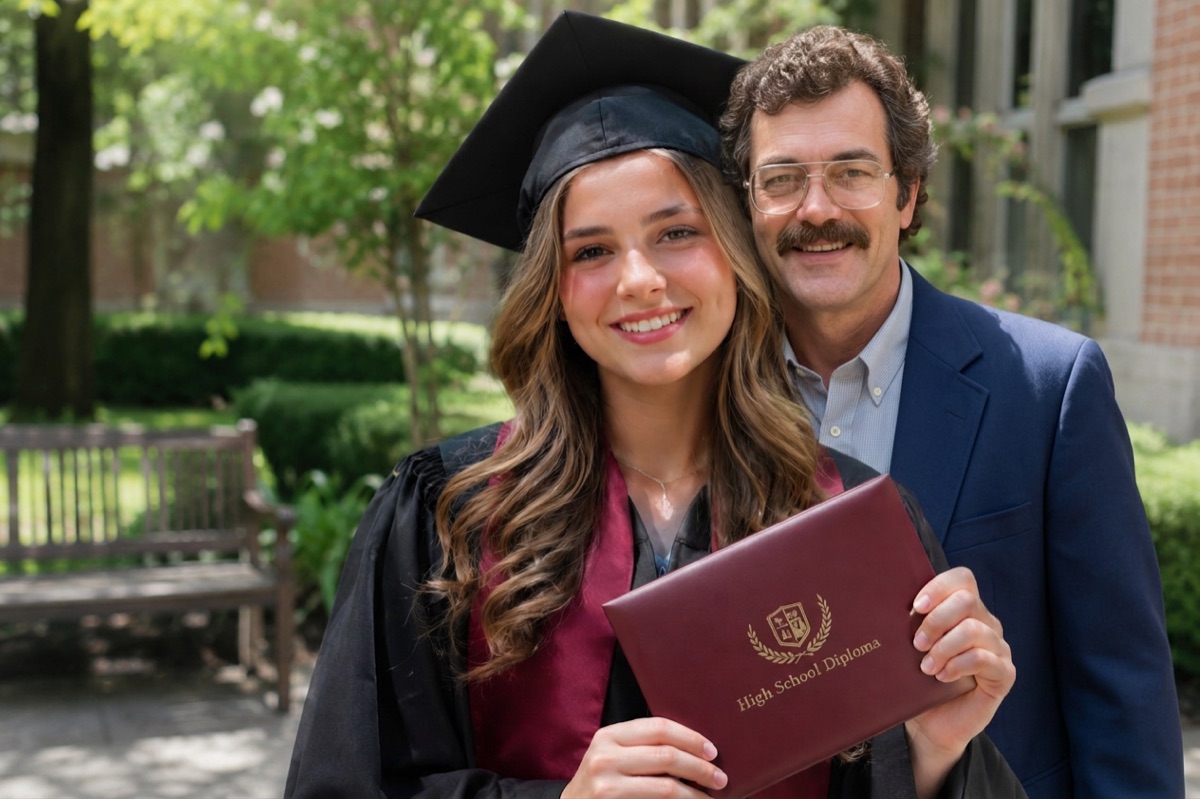
Example
1. The photo to add them to
2. A photo of the loved one
How it works
- Create a free account and confirm your email. One free credit is added to your account.
- Upload the photo you want them in, then a clear photo of your loved one.
- Press the button and download your photo. It is yours to keep, print and share.
What is free, and what costs money
- Free: your first photo, after you create an account and confirm your email. One free photo per person.
- Free: downloading, printing and sharing your photo. There is no watermark.
- Free: trying again if a generation fails. The credit comes back automatically.
- Paid: more photos after the first one, in one-time packs of 5 for $4.99, 15 for $9.99 or 40 for $19.99.
- Never: subscriptions, automatic renewals or hidden fees.
Why is it not free without limits?
Each photo is made by a large AI image model that costs us money to run. Giving everyone their first photo free lets you see the result with your own family before you spend anything, and the packs keep the site running without ads or subscriptions.
Free ways to do it by hand
If you would rather not use AI at all, you can combine two photos yourself with free editors such as GIMP on a computer or Photopea in the browser. Cut your loved one out of their photo, paste them into the group photo, scale them to match the others and adjust brightness and color until they blend. Our guide on how to add a deceased loved one to a photo walks through the steps.
Tips for the best result
- Use a photo of your loved one where the face is clear, sharp and facing the camera, ideally head and shoulders.
- Old prints are fine. Photograph them flat in daylight, without glare, and crop away the frame or album page.
- Pick a group photo with a little room beside someone, so there is a natural place for them to stand or sit.
- Photos taken outdoors or in soft, even light blend most naturally.
- If the first result is not right, try another photo of your loved one. A different angle often looks more natural.
Questions
- Is there a free AI app that can help me remember deceased loved ones?
- Yes. This site uses AI to place a loved one who has passed into a photo of a moment they missed, such as a wedding, a graduation or a new baby. Your first photo is free with an account, and you can print the result, frame it or share it with family.
- Do I need a credit card for the free photo?
- No. You only need an account with a confirmed email address. Payment details are only asked for if you choose to buy more photos.
- How do I add a person to an existing photo for free?
- Upload the existing photo as photo 1 and a photo of the person as photo 2. The tool places them into the existing photo and matches the light, so you do not have to cut anything out yourself. Your first photo is free after signing up.
- What is the best free app to add a deceased loved one to a photo?
- Most "free" apps let you try a few edits and then ask you to subscribe. Here the first photo is free with a confirmed account and nothing needs to be installed: it works in the browser on iPhone, Android and computers. If you want to do it entirely by hand for free, GIMP or Photopea can cut a person out of one photo and blend them into another, which takes more time and practice.
- What does it cost after the free photo?
- Your first photo is free when you create an account and confirm your email. After that, photos come in one-time packs: 5 photos for $4.99, 15 for $9.99 or 40 for $19.99. One credit is one photo. There is no subscription, and you can also buy a pack without creating an account.
- Does the free photo have a watermark?
- No. The free photo is the same full-quality photo as a paid one.
- What if the photo does not come out right?
- If a generation fails, the credit is returned automatically. If the result is not what you hoped for, try a clearer photo of your loved one where the face is large and well lit, or a group photo with a little space beside someone. Small changes in the photos make a big difference.
- What happens to the photos I upload?
- Your photos are only used to make your picture. They are kept private, are never shown to other visitors and are deleted automatically after 30 days. You can delete your account at any time.
More about adding a loved one to a photo
- Add Deceased Loved One to PhotoAdd a deceased loved one to a family, wedding or graduation photo. Upload two photos and get one natural, realistic picture together. First photo free.
- Add Deceased Loved One to Photo AppAn add deceased loved one to photo app that works in your phone’s browser on iPhone and Android. Pick two photos from your camera roll, no install needed.
- How to Add a Deceased Loved One to a PhotoHow to add a deceased loved one to a photo: with an AI tool in a minute, by hand in Photoshop or GIMP, or with a photo studio. Tips on choosing photos and printing.
- Add Deceased Loved One to Photo AI PromptA copy-and-paste AI prompt to add a deceased loved one to a photo in ChatGPT or Gemini, with tips for natural results, plus a free tool that does it for you.
Your photos are safe with us
Your photos are only used to make your picture, are never shown to anyone else and are deleted automatically after 30 days. Photos of public figures and explicit content are refused automatically.