Loved One Photo Services Compared
There are a few good ways to add someone who has passed away to a photo, and the right one depends on how many photos you need, whether you want to try before you pay and how long you are comfortable with your photos being stored. We run Together Again, so we are not neutral, but every detail below was checked on each service’s own website on November 3, 2026. Prices change, so check before you buy.
First photo free with an account · then 5 photos for $4.99, no subscription
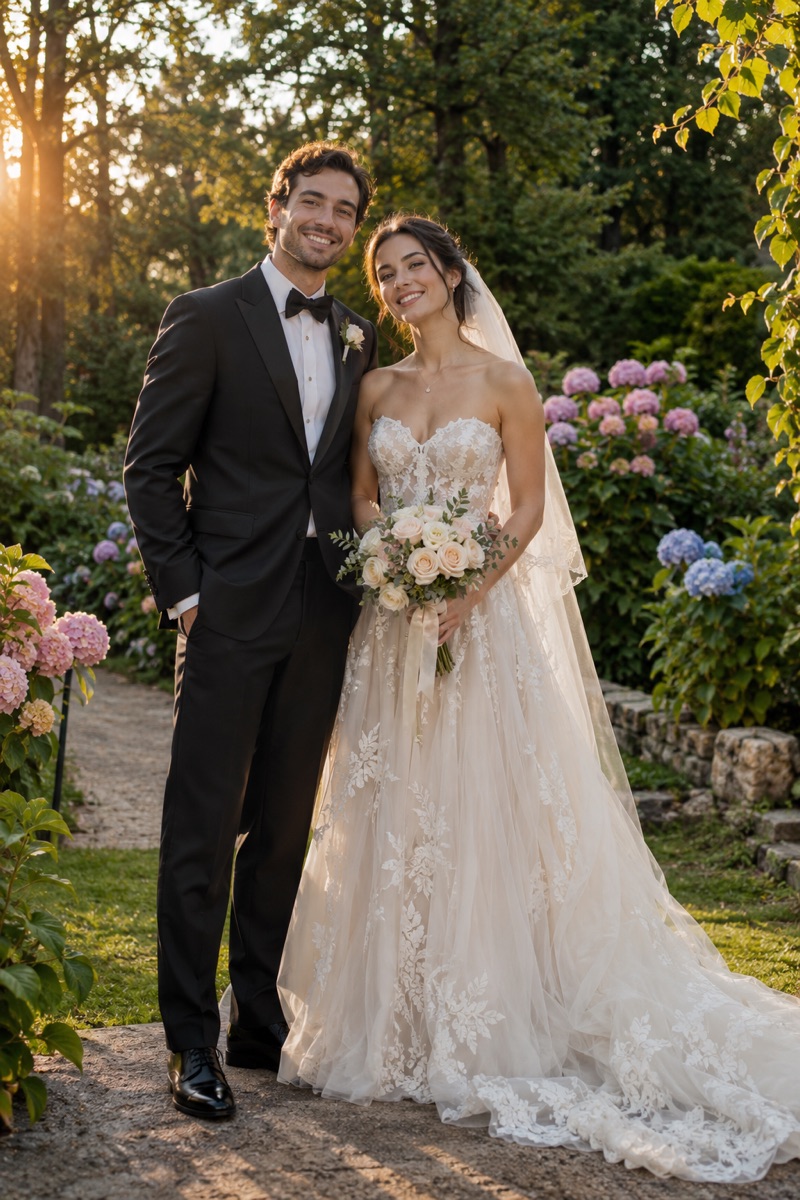
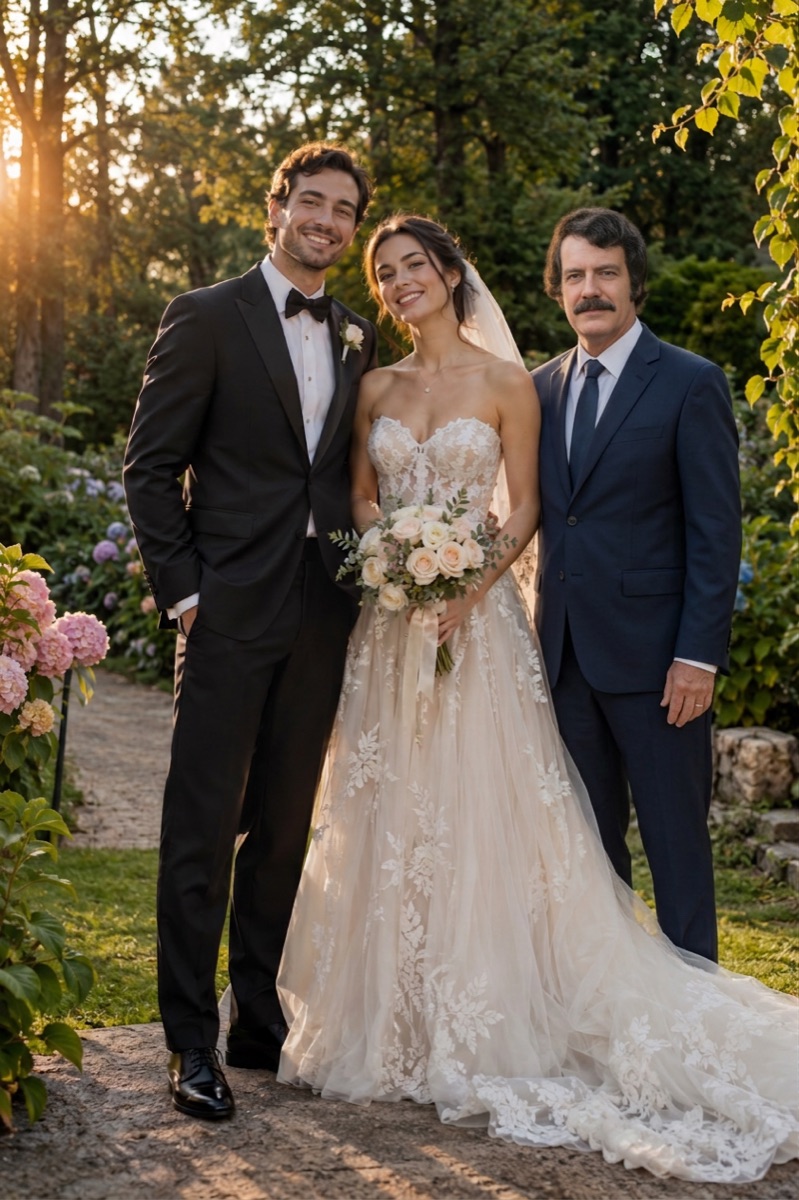 BeforeAfter
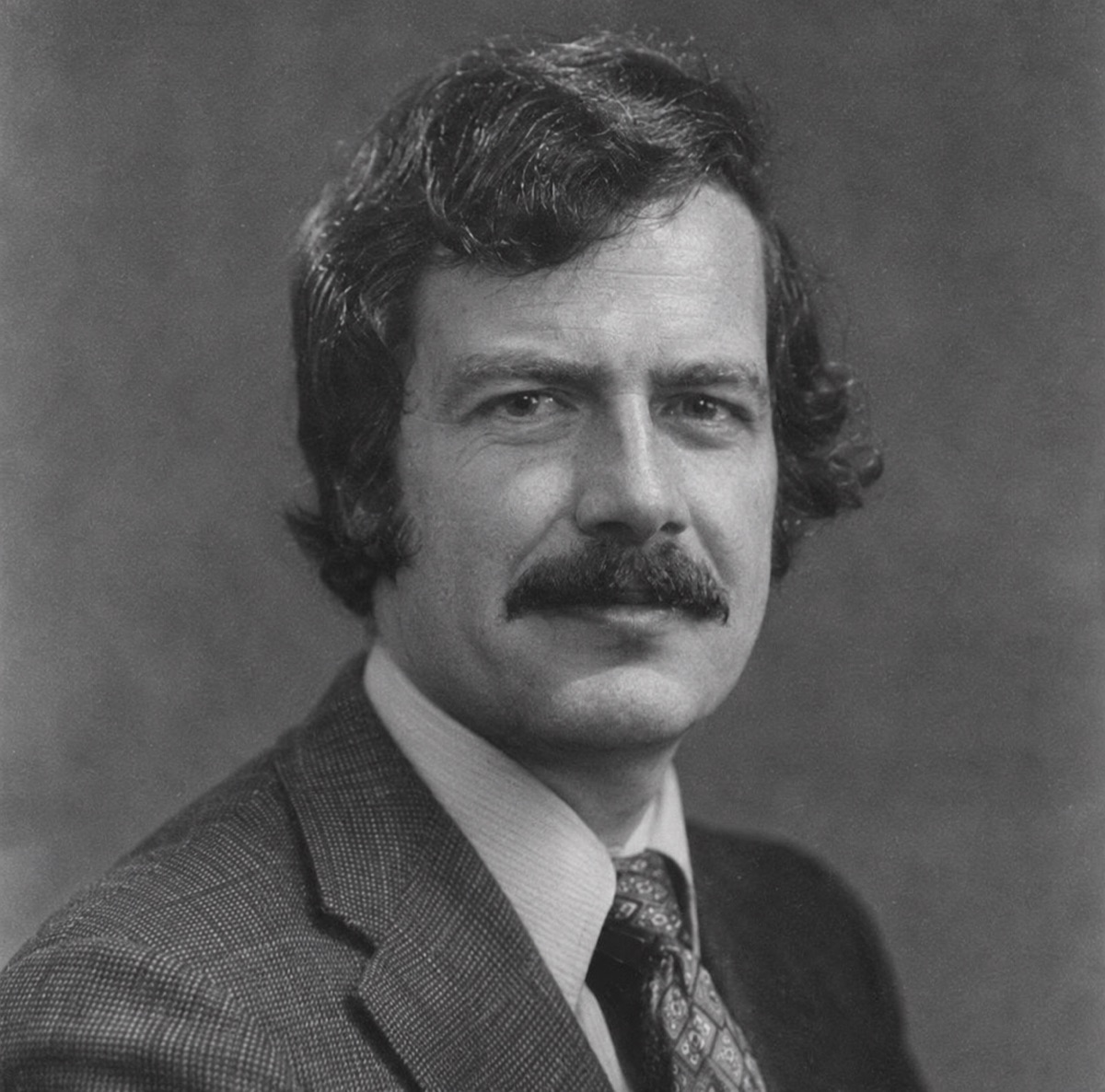
Example
The photo to add them to
A photo of the loved one
The new photo, together
How it works
Two photos in, one photo out. Nothing to install and nothing to learn.
First
Choose the photo you want your loved one to be part of: a family photo, a wedding, a graduation or any everyday moment.
Then
Add a clear photo of your loved one. An old print you photograph with your phone is fine; black and white works too.
Last
Press the button. In about a minute you get one new photo with them in it, ready to download, print or share.
One new photo, ready to printabout 1 minute
Prices, trials, watermarks and storage
| Service | Price | Free to try | Watermark | How long photos are kept |
|---|---|---|---|---|
| Together Again (this site) | One-time packs: 5 photos $4.99, 15 for $9.99, 40 for $19.99. No subscription. | Yes: one full photo free after you create an account and confirm your email. | None, including on the free photo. | Uploads deleted automatically after 24 hours. Finished photos kept in your account until you delete your account or ask us. |
| AddFamilyPhoto | $19 one-time for one photo moment (4 variants, up to 3 free retries); $49 for 5 moments. | Yes: one free preview. | The free preview is watermarked; paid photos are not. | Uploads and results kept 180 days, then deleted. You can delete them sooner from your account. |
| Vidney AI | One-time: $0.99 for one image or $1.99 for three. Subscriptions from $9 a month. | Yes: new accounts get 10 to 30 free credits. | Free-plan downloads carry a small watermark; paid downloads do not. | Results kept while the account is active; deleted within 90 days of closing it or on request. |
| PhotoMemorial AI | One-time packs: 10 credits $4.90, 20 for $9.90, 40 for $19.90. One credit per photo. | No free generation. | None on paid photos. | Account photos kept until you delete them; unclaimed guest results expire after 7 days. |
| Etsy photo editors | Set by each seller. Listings we saw ranged from about $15 to $38 for a digital file. | No. | None on the delivered file. | Depends on the seller; photos are sent through Etsy messages. |
Service: Together Again (this site)
- Price
- One-time packs: 5 photos $4.99, 15 for $9.99, 40 for $19.99. No subscription.
- Free to try
- Yes: one full photo free after you create an account and confirm your email.
- Watermark
- None, including on the free photo.
- How long photos are kept
- Uploads deleted automatically after 24 hours. Finished photos kept in your account until you delete your account or ask us.
Service: AddFamilyPhoto
- Price
- $19 one-time for one photo moment (4 variants, up to 3 free retries); $49 for 5 moments.
- Free to try
- Yes: one free preview.
- Watermark
- The free preview is watermarked; paid photos are not.
- How long photos are kept
- Uploads and results kept 180 days, then deleted. You can delete them sooner from your account.
Service: Vidney AI
- Price
- One-time: $0.99 for one image or $1.99 for three. Subscriptions from $9 a month.
- Free to try
- Yes: new accounts get 10 to 30 free credits.
- Watermark
- Free-plan downloads carry a small watermark; paid downloads do not.
- How long photos are kept
- Results kept while the account is active; deleted within 90 days of closing it or on request.
Service: PhotoMemorial AI
- Price
- One-time packs: 10 credits $4.90, 20 for $9.90, 40 for $19.90. One credit per photo.
- Free to try
- No free generation.
- Watermark
- None on paid photos.
- How long photos are kept
- Account photos kept until you delete them; unclaimed guest results expire after 7 days.
Service: Etsy photo editors
- Price
- Set by each seller. Listings we saw ranged from about $15 to $38 for a digital file.
- Free to try
- No.
- Watermark
- None on the delivered file.
- How long photos are kept
- Depends on the seller; photos are sent through Etsy messages.
Checked on each service’s own website on November 3, 2026. AI services make the photo in about a minute; Etsy sellers edit by hand and set their own delivery times.
Which one to choose
- You want to see your own photo before paying anything: Together Again gives one full photo free, without a watermark; AddFamilyPhoto gives a watermarked preview.
- You only need one image and do not mind a watermark on free tries: Vidney AI’s $0.99 single image is the cheapest single paid photo.
- You will make many photos: PhotoMemorial AI and our 40-photo pack both work out at about 50 cents a photo.
- You want several versions of the same photo to choose from: AddFamilyPhoto’s $19 plan gives four variants and retries.
- The pose is complicated, the original is badly damaged or you want a person to do it: an Etsy seller or a local photo restoration studio, at a higher price and a few days’ wait.
- You care most about how long your photos are stored: our uploads are deleted after 24 hours, the shortest of the services above.
What happens if the photo is not right
With every AI service, the face of the added person is sometimes not quite right. Here, a photo that fails or times out gives its credit back automatically. If the photo is made but your loved one does not look like themselves, email hello@adddeceasedlovedonetophoto.org and we will redo that photo once for free. Purchases are otherwise final, as they are on most of the services above.
Questions
What is the best website to add a deceased loved one to a photo?
It depends on what matters most to you. Together Again gives one full photo free without a watermark and deletes uploads after 24 hours; AddFamilyPhoto gives a watermarked preview and four variants for $19; Vidney AI sells a single image for $0.99; PhotoMemorial AI has no free try but low prices for many photos; Etsy sellers edit by hand for roughly $15 to $38.
Is there a free way to add a deceased loved one to a photo?
Yes. Your first photo here is free and has no watermark once you confirm your email. You can also do it by hand for free in GIMP or Photopea, which takes longer.
Is an AI tool or a human editor better?
AI tools are faster and cheaper and work well for most photos. A human editor is better for complicated poses, badly damaged originals or very large prints.
What if the photo does not come out right?
If a photo fails or times out, its credit goes back to your balance automatically. If the photo is made but the AI changed your loved one’s face and they do not look like themselves, email hello@adddeceasedlovedonetophoto.org from the address on your account (or with your order receipt) and we will give you one free redo of that photo. A sharper, larger photo of their face usually gives a much closer likeness.
What happens to the photos I upload?
The two photos you upload are only used to make your picture and are deleted automatically 24 hours after upload. The finished photo is kept privately in your account so you can download it again, until you delete it with your account (Settings → Security → Delete account, which removes your photos right away) or ask us at hello@adddeceasedlovedonetophoto.org. Photos are never shown to other visitors, sold or used to train AI.
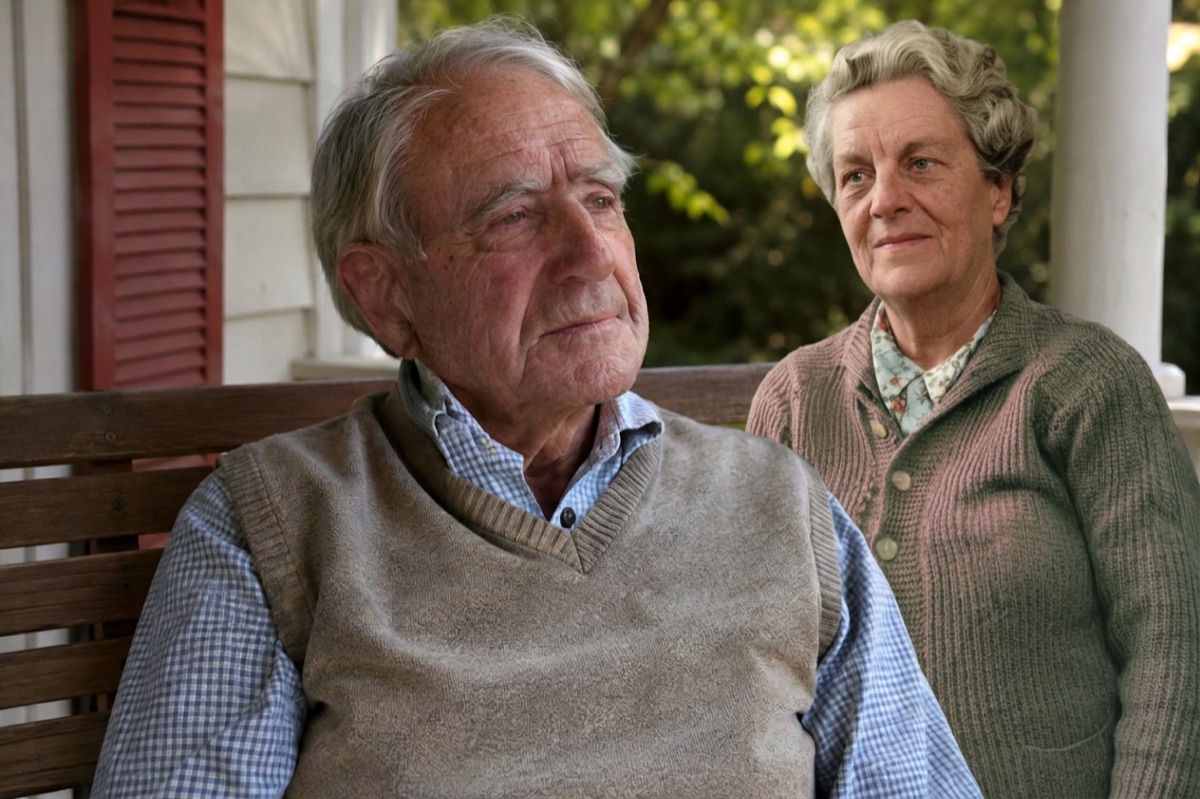
More about adding a loved one to a photo
- Add Deceased Loved One to PhotoAdd a deceased loved one to a family, wedding or graduation photo. Upload two photos and get one natural, realistic picture together. First photo free.
- Add Deceased Loved One to Photo with AI, FreeAdd a deceased loved one to a photo with AI for free: create an account, confirm your email and your first photo is on us. No app, no subscription.
- Add Deceased Loved One to Photo AppAn add deceased loved one to photo app that works in your phone’s browser on iPhone and Android. Pick two photos from your camera roll, no install needed.
- How to Add a Deceased Loved One to a PhotoHow to add a deceased loved one to a photo: with an AI tool in a minute, by hand in Photoshop or GIMP, or with a photo studio. Tips on choosing photos and printing.
- Add Deceased Loved One to Photo AI PromptA copy-and-paste AI prompt to add a deceased loved one to a photo in ChatGPT or Gemini, with tips for natural results, plus a free tool that does it for you.
- Add a Deceased Parent to a Family PhotoAdd your late mother or father to a family photo taken after they passed. Upload the family photo and a photo of them; get one natural photo together.
- Add a Loved One to a Wedding PhotoAdd a parent or grandparent who has passed to your wedding photo, standing beside you. Upload two photos, get one natural picture. First photo free.
- Add a Deceased Loved One to a Graduation PhotoAdd a parent or grandparent who passed away to a graduation photo, beside the graduate in cap and gown. Two photos in, one photo together. First photo free.
- Memorial Photo EditorMake a memorial photo for a funeral, memorial service or celebration of life: add your loved one to a family photo for the display board or program.
- Add a Loved One from an Old or Blurry PhotoIf you only have one old, faded, small or blurry photo of a loved one who passed, here is how to scan it and still add them to a family photo.
- Add Grandma or Grandpa to a PhotoAdd a grandparent who passed away to a photo with the grandchildren: a newborn photo, a holiday or a day at the park. Two photos in, one photo together.
Your photos are safe with us
The photos you upload are only used to make your picture, are never shown to anyone else and are deleted automatically 24 hours after upload. Your finished photo stays private in your account until you delete it. Photos of public figures and explicit content are refused automatically.